Setting up the Development Folder
Starting with Companion 3.0 you can develop, test and use your own module code without the need for the Core Companion development environment. Here is how you do it.
Module folder structure
The structure is setup so that you can load multiple modules at the same time. A module folder is specified as described below. Inside of this folder should be one or more folders that use the following layouts, with each folder corresponding to a different module.
- A git clone of a module from github
This requires some additional setup, as the module will need to be prepared with ayarn install, and for some, ayarn build. - Packaged output
This is a folder that contains acompanion/manifest.json,companion/HELP.md,package.json,main.js(or another name), and possibly a few other files. No extra work is needed for this to be loaded
Set up a developer folder
-
Create a folder on your machine where you will put these custom modules.
-
Check the section above on how to structure this folder
-
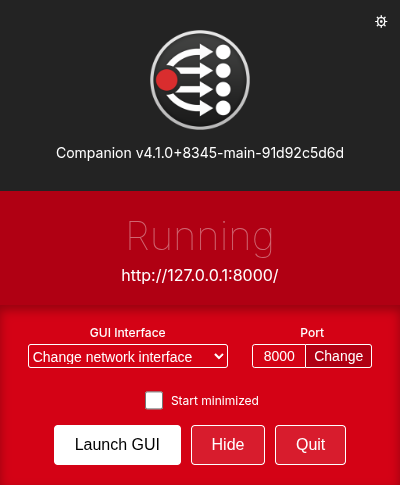
Open/show the launcher window of Companion:
-
In the top right corner you will see a Cog. Click on it to show the Advanced Settings window:
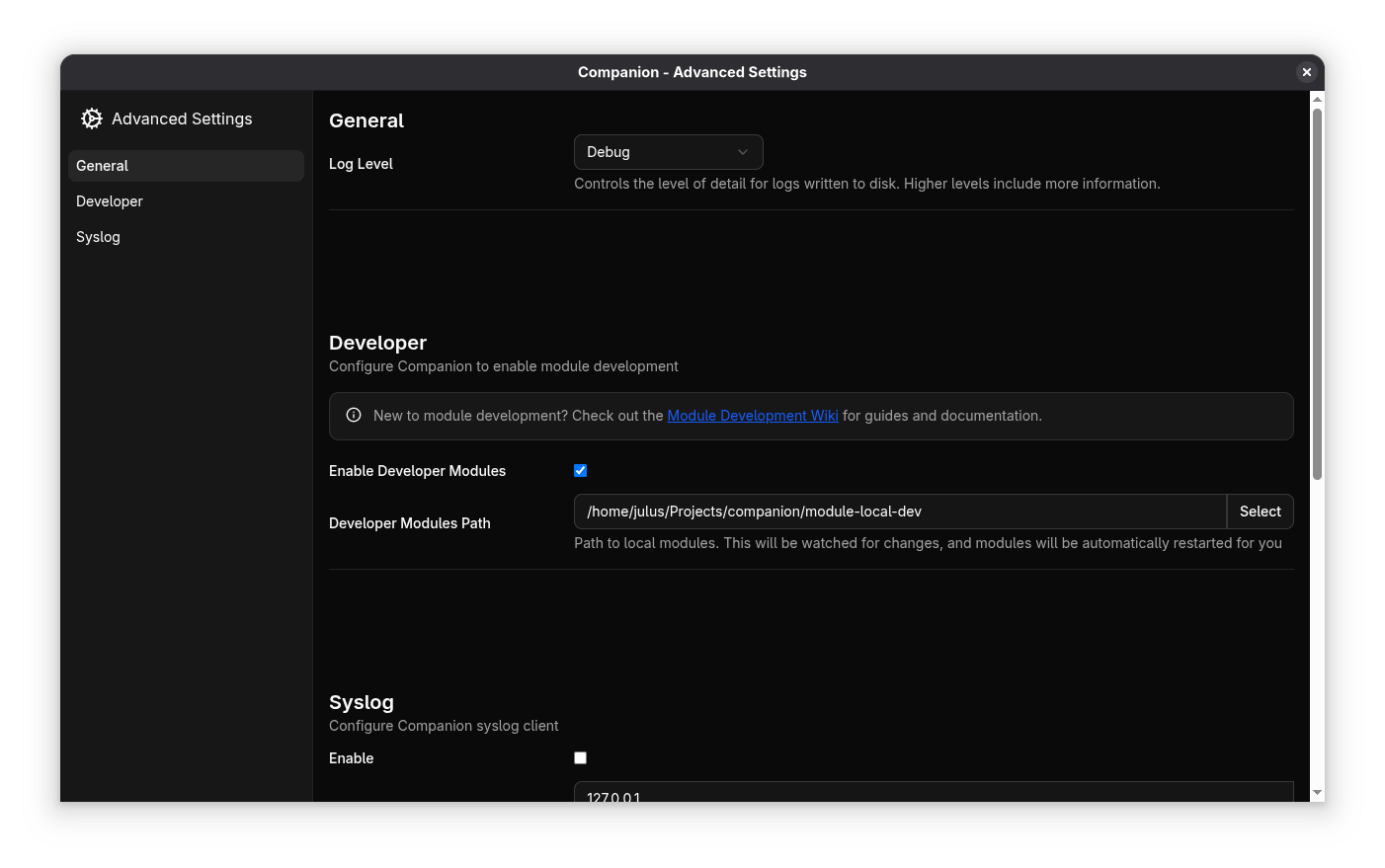
- In the Developer section click on Select to specify the directory where you have stored your developer modules.
- Make sure Enable Developer Modules is switched on. You can now close the window
- Click on "Launch GUI" to open the Admin interface. In the connections list you should find the connection provided by the developer module. If the developer module is using the same internal ID as a module that is distributed with Companion, be sure to choose the "dev" version in the configuration.
If you don't see the developers module, please check the log and switch on debug, maybe the module has crashed. - You can replace a developers module or files within it while Companion is running. Companion will detect the change and restart only that module without affecting other modules. You can also force a module to reload by disabling and re-enabling a connection.
The development folder is the one that contains all your module folders, not a module folder itself!
For example, if your module repo is in a folder called module1 and it's in a folder called mydev, i.e. mydev/module1, the Developer Module Path is mydev and not mydev/module1.
RaspberryPI / Headless Linux
- Find the developers module folder on your installation. This is often
/opt/companion-module-dev/. - Check the section above on how to structure this folder
- Run Companion.
- Open the Admin interface in your Browser. In the connections list you should find the connection provided by the developer module. If the developer module is using the same internal ID as a module that is distributed with Companion, it will override the distributed version.
If you don't see the developers module, please check the log and switch on debug, maybe the module has crashed.
Headless development
- If you are running Companion from source in development mode, there is a folder
module-local-devinside the repository that gets read for your modules. It follows the same rules for structuring as above. - You can also use the command-line argument
--extra-module-pathto specify the dev folder. - Alternatively, you can set the environment variable
COMPANION_DEV_MODULESto the dev folder. For your convenience, you can put the following in.envin your companion source folder:
COMPANION_DEV_MODULES=<dev modules path>