Companion v5.1.0
Companion 5.1 builds on the new graphics system from 5.0, making buttons quicker to design and easier to reuse. It also adds page variables, a new REST API, and many smaller improvements throughout.
Easier button styling
The button style editor has had a lot of attention in this release:
- Edit on the preview — select, move and resize elements by dragging them on the button preview, with snapping to the edges and centres of the button and other elements. A toolbar alongside the preview centres, fills and reorders the selected element.
- Pinned properties — the properties you change most often, such as a button's text and colors, are gathered together in one place, so relabelling a lot of buttons no longer means hunting through each element.
- Better aspect ratio previews — preview your design on the button shapes of the Stream Deck Studio and Stream Deck +, on any surface Companion has seen, or on any shape you enter.
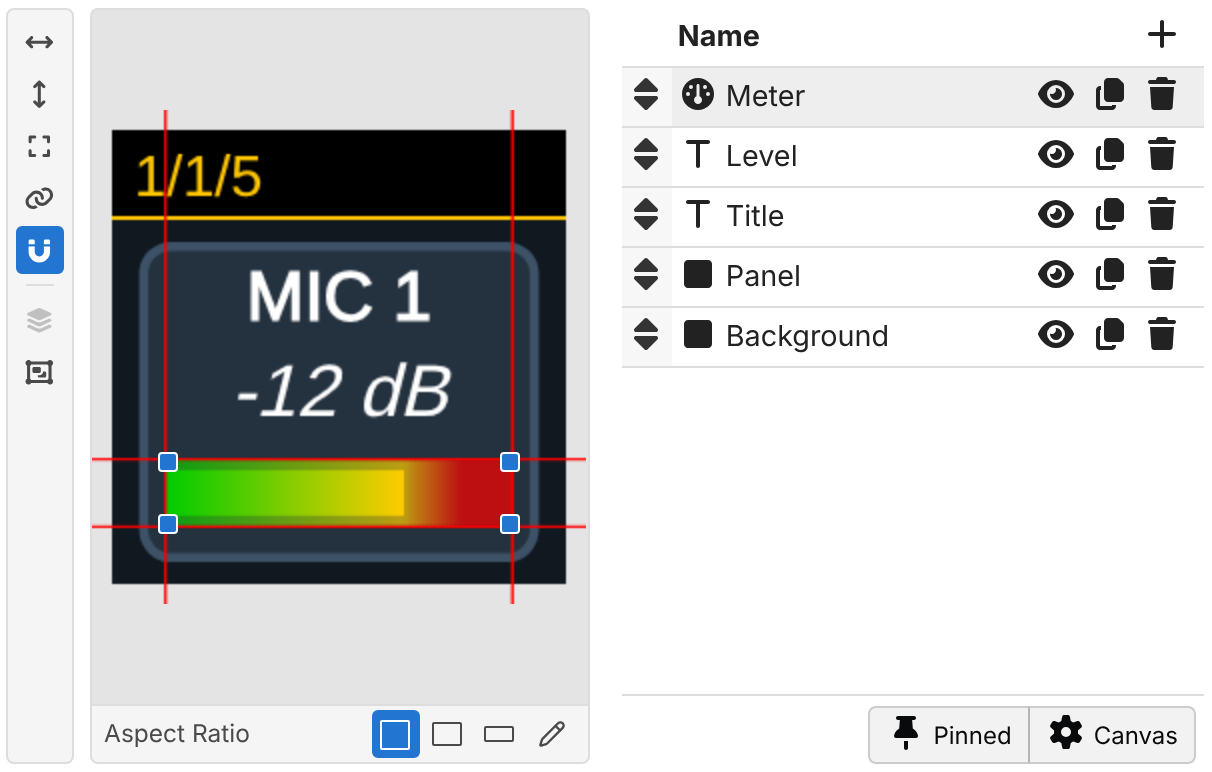
There are new styling options too:
- Bold, italic, underline and strikethrough text.
- Rounded corners for boxes.
- Text now shrinks smoothly to the largest size which fits, instead of jumping between a few fixed sizes.
- Gauges gain a fill width, partly transparent colors, and a better automatic starting point for ranges which go below zero.
- Value feedbacks can now restyle a button, using the feedback's value in an expression with
$(this:value).
Read more in the Button styling section of the user guide.
Linked presets
Presets can now stay linked to the module that provided them. When the module updates a preset, for example in a new version of the module, every button you placed from it updates too. You no longer need to delete and re-place your preset buttons to pick up improvements.
Linked buttons work just like any other button, but their setup is managed by the preset. You can still switch which connection they use, and change the values which make each button of a set different, such as which input a switcher button selects. If you want to customise one further, click Edit to unlink it into a normal button.
Linked is now the default for modules which support it. Use the When placed toggle at the top of the Presets tab to place a one-off copy instead, as in earlier versions.
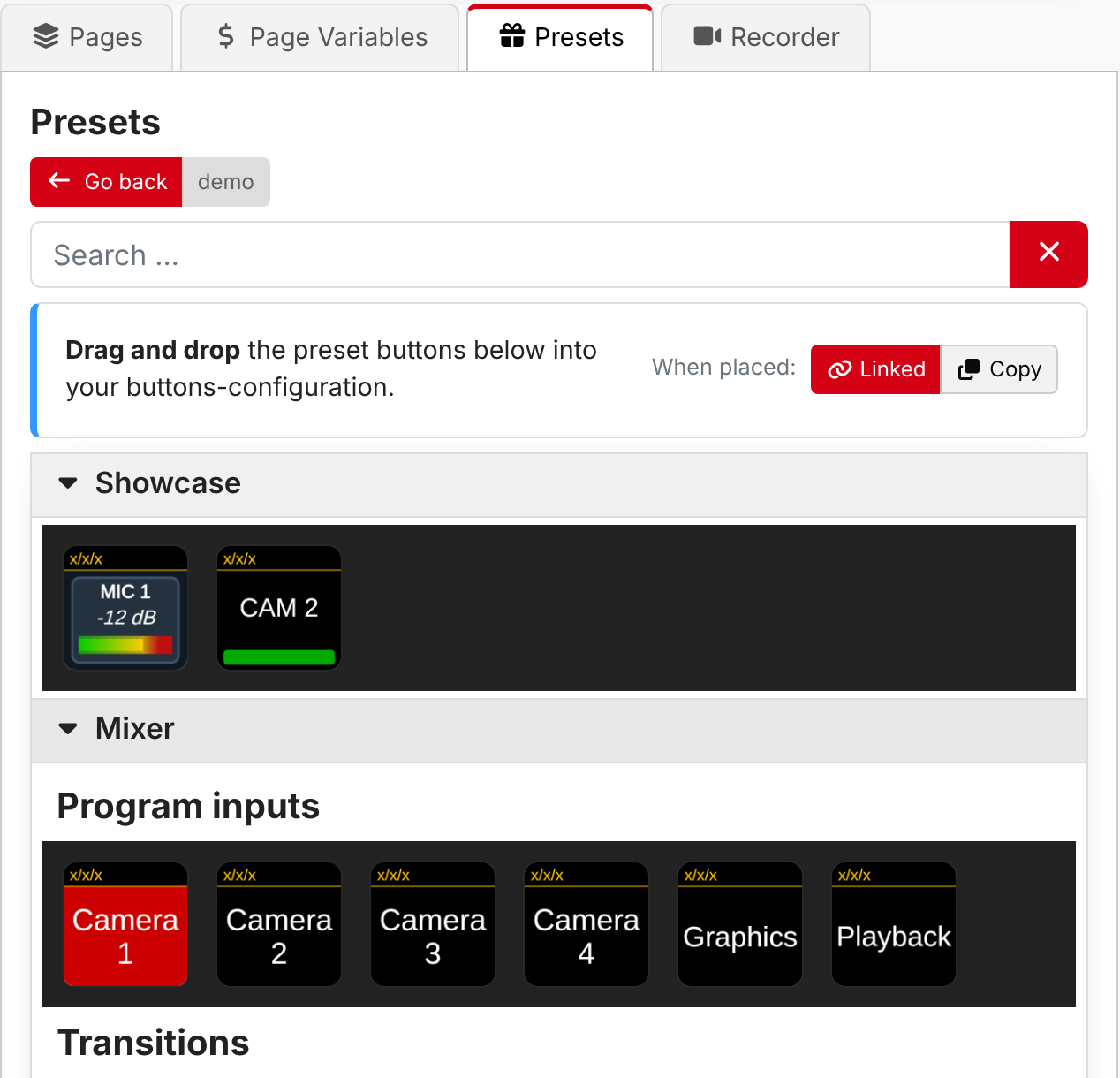
Read more in the Using presets section of the user guide.
Button references
A new Button reference button type mirrors another button: it looks exactly like it, and pressing it presses the other button. Use it to have the same button in several places, such as on every page, while only having one button to maintain. Create one from the button type picker, or copy a button and right-click on another to Paste as reference.
The location to mirror can use variables and expressions, so a reference can also switch between buttons.
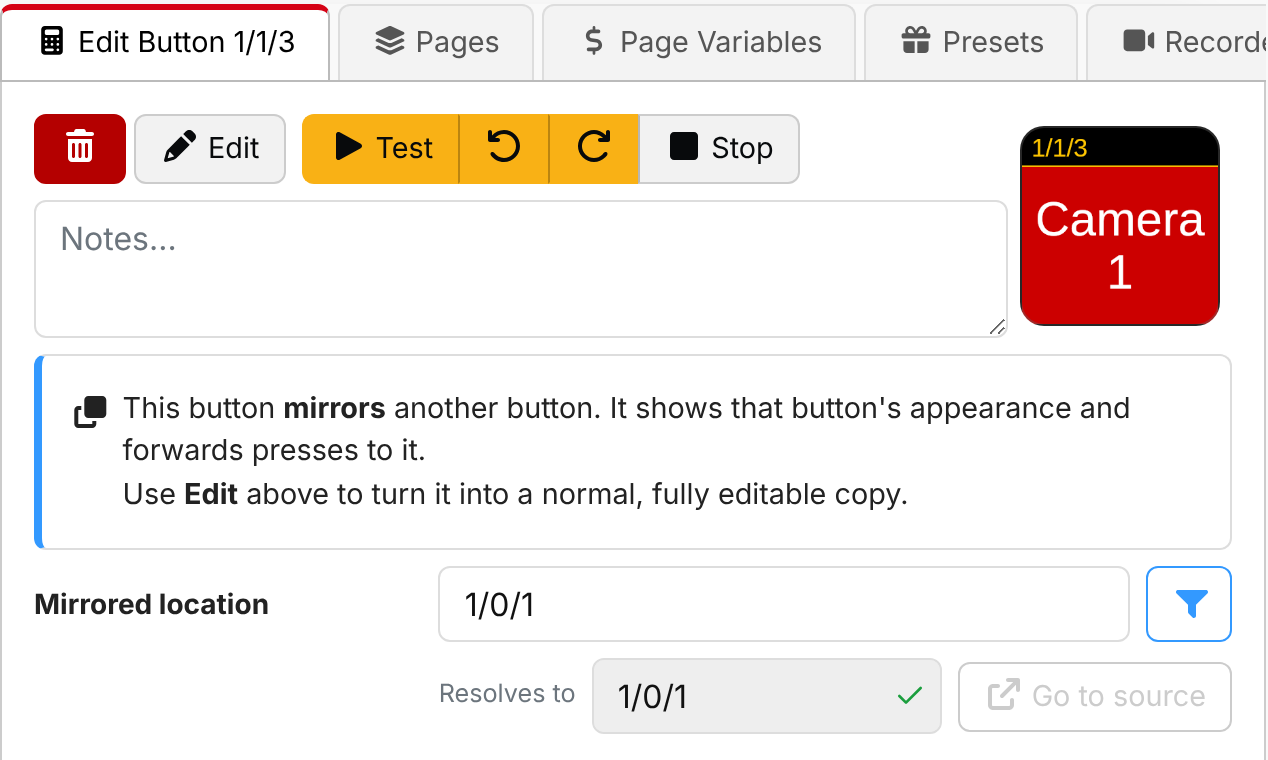
Read more in the Button references section of the user guide.
Page variables
Pages can now have their own variables, shared by every button on the page and used with $(page:name). They make
it easy to build a page of buttons which all work on the same thing, such as one camera or one presenter, and then
change it in one place. There are new internal actions to set them from anywhere, including from other pages.
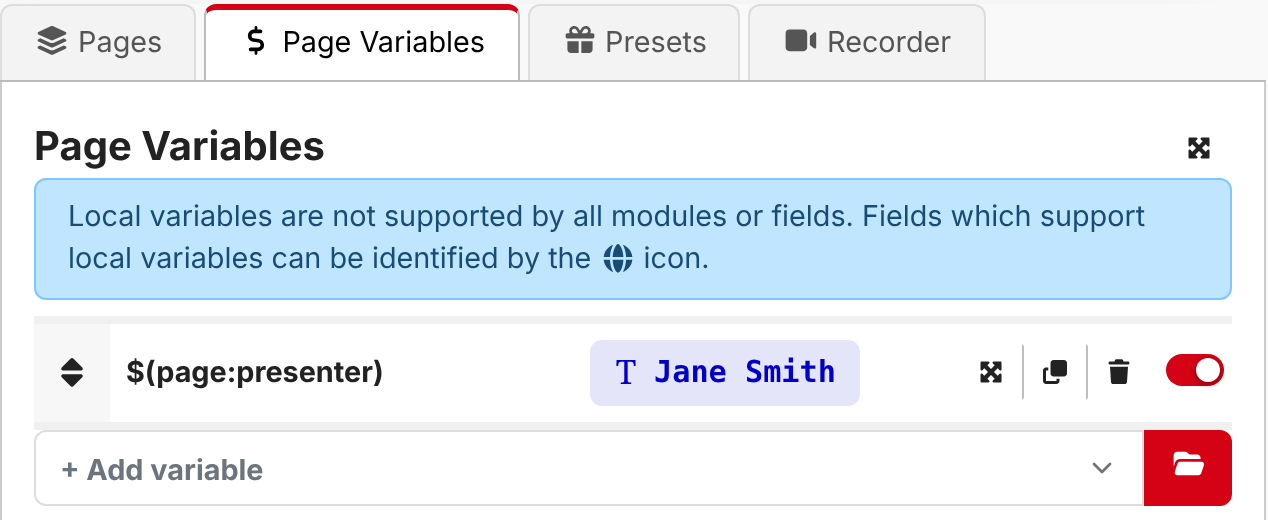
Read more in the Pages section of the user guide.
Reworked button grid
Arranging buttons on the grid has been reworked:
- A new toolbar chooses what clicking does: select, multi-select, arrange, or press buttons for real.
- Select several buttons at once by dragging a box, or with Shift and Ctrl/Cmd, then move, copy or clear them together.
- Right-click a button for a menu of common operations.
- Keyboard shortcuts for moving, selecting, copying and pasting buttons.
- The page actions, such as exporting or clearing a page, are now in a menu next to the page selector.
Note that holding Shift to press a button has been replaced by the new Press tool.

Read more in the Buttons section of the user guide.
Gauges on surface LEDs
A gauge element can now also be shown on the LEDs of a surface, such as the light rings around the dials of a Stream Deck Studio. The lights follow the colors of the gauge on screen.
REST API
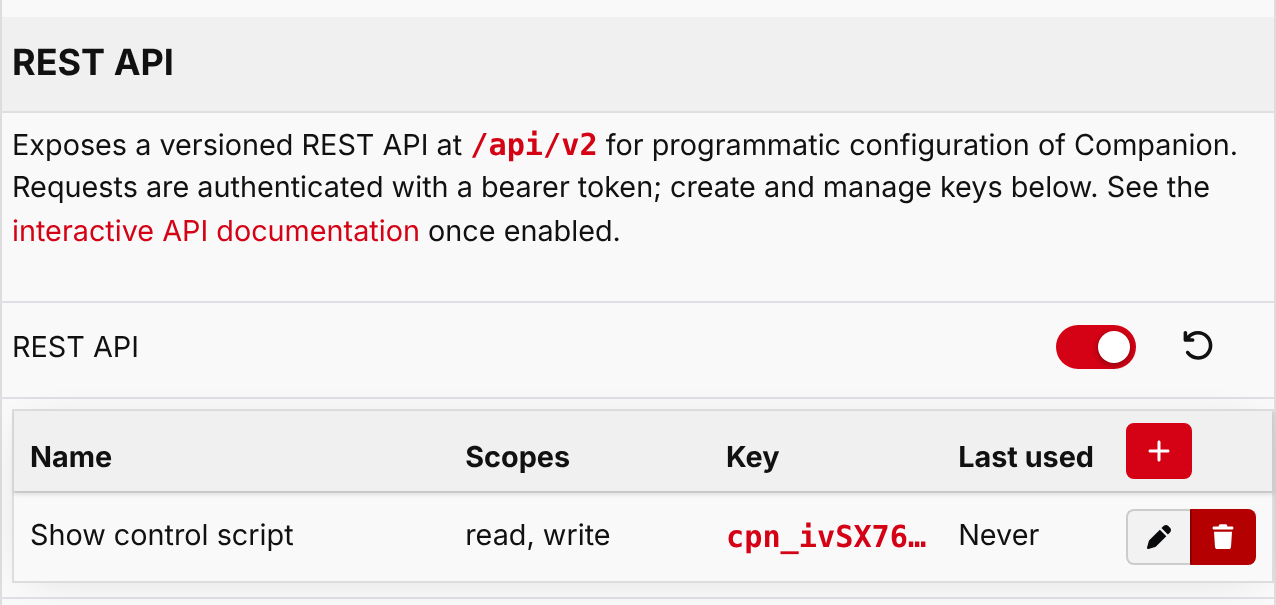
Companion 5.1 introduces the first part of a new, versioned REST API for configuring Companion from scripts and other software. To begin with it can manage connections, list surfaces and set their brightness. It will grow to cover more of Companion in future releases.
The REST API is disabled by default. Turn it on in Settings > Protocols, where you can also create API keys
with just the permissions each script needs. While enabled, interactive documentation is available at
/api/v2/docs.
Read more in the REST API section of the user guide.
And more
- Button styling
- Properties which use an expression show what they currently evaluate to
- Composite elements provided by modules can be rotated
- Expressions
- New maths functions, including
sqrt,pow,log, trigonometry andPI(#4388) - New color functions, such as
rgb,hsl,colorMixandcolorLighten(#4420) oscillate()function for smooth animations (#4328)- Trigger conditions are checked again each time the trigger fires, so
randomInt()works as expected #3297
- New maths functions, including
- Variables
$(this:delta)gives the amount a dial was turned in rotary actions (#4387)- Collapsed local variables show their current value (#4386)
$(internal:date_monthname)variable #3819- Connection collection status variables, and connections in a disabled collection are reported as disabled #4479
- Actions and feedbacks
- Hold duration for the Button: Trigger press and release action #3389
- Surface: When connected feedback #4124
- Built-in conditions inside Logic: If statement and Logic: While loop are checked as the action runs (#4378)
- Presets can fill in a button's notes
- User interface
- Resizable split panel layouts #2781
- Alt+click a group in a list to expand or collapse every group at that level
- Configurable default export format #4349
- Deprecated modules are clearly marked (#4495)
- Milliseconds in log entries #2891
- System
COMPANION_INSTALL_NAMEenvironment variable to set the installation name- Very large configurations can be imported and exported more reliably (#4390)
- Prometheus metrics for monitoring the health and performance of Companion, with a Grafana dashboard (#4304)
🐞 BUG FIXES
- module versions refresh button not indicating progress
- keep unicode glyphs together when breaking a line #3671
- rework line breaking to work as is was long ago (#4372)
- font size scaling not always consider whether topbar is visible
- keep preset definition ids stable across re-conversion
- surface page-change defer condition and rescanUsb error reporting
- propagate image import errors #4438
- better report import progress to the ui
- sort to the connection selection dropdown (#4402)
- backup file renaming failing #4394
- try to ensure module are shutdown cleanly when companion exits
- adjust line draw bounds to not hide the line #4359
- measure font ascent/descent for better positioning #4359
- avoid excessive button-drawn events upon a cache hit
- colors when downscaling oversampled images
- dropdown freezing when selecting from a large list #4494
- expose pressed state to surfaces
- don't recreate desktop shortcut when updating
- static-text fields should not show expression toggles
- draw a placeholder for missing or cyclic composite elements
- update bonjour lib to limit query answer rate #4499
- logging stopping entirely after a non-string message is logged #4509